Meadow allows currently enrolled students to easily download your bill statement directly from your account. Follow the steps below to get started.
- Log into your Meadow account
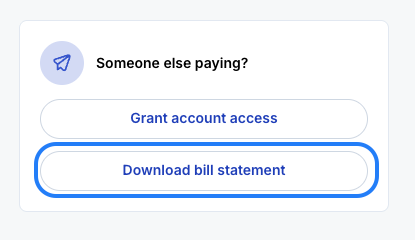
- On the right side of the screen select "Download Bill Statement"
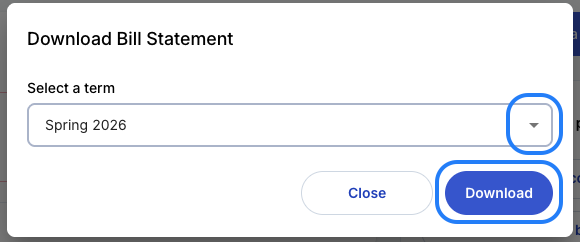
- A pop up window will appear prompting you to "Select a Term"
- Select the term you would like to download the bill statement for from the dropdown menu
- Click "Download" to save your bill statement
Billing statements for upcoming terms will be available once your bill is visible in Meadow. If you are unable to see this option or have questions about your charges please contact your school directly.
If you have any additional questions please contact support.
Was this article helpful?
That’s Great!
Thank you for your feedback
Sorry! We couldn't be helpful
Thank you for your feedback
Feedback sent
We appreciate your effort and will try to fix the article